



Telegram is used by about 55 million people daily, with a total user base of 700 million. It is one of the most popular and relatively secure messaging apps for communication, entertainment, work organization, financial transactions, education, and information consumption.
Telegram is quite democratic — it allows third-party developers to create their own alternative Telegram clients. Users keep their accounts, all conversations, channels, and chats, while gaining access to new features. The functionality of these versions (there are more than 20 of them) may resemble features available in Telegram Premium, or be enhanced with the help of bots. Sometimes there are unique “perks” that have no analogues.
This article presents the top of the best alternative Telegram clients who have something to surprise you with.
What Are Telegram Clients and Why Do Users Choose Them?
Telegram clients are third-party applications that connect to Telegram servers via the official API and allow you to use the same account, but with a different interface and functionality. All your chats, channels and contacts remain in place, only the tool itself changes: the appearance, how the app works and the set of functions.
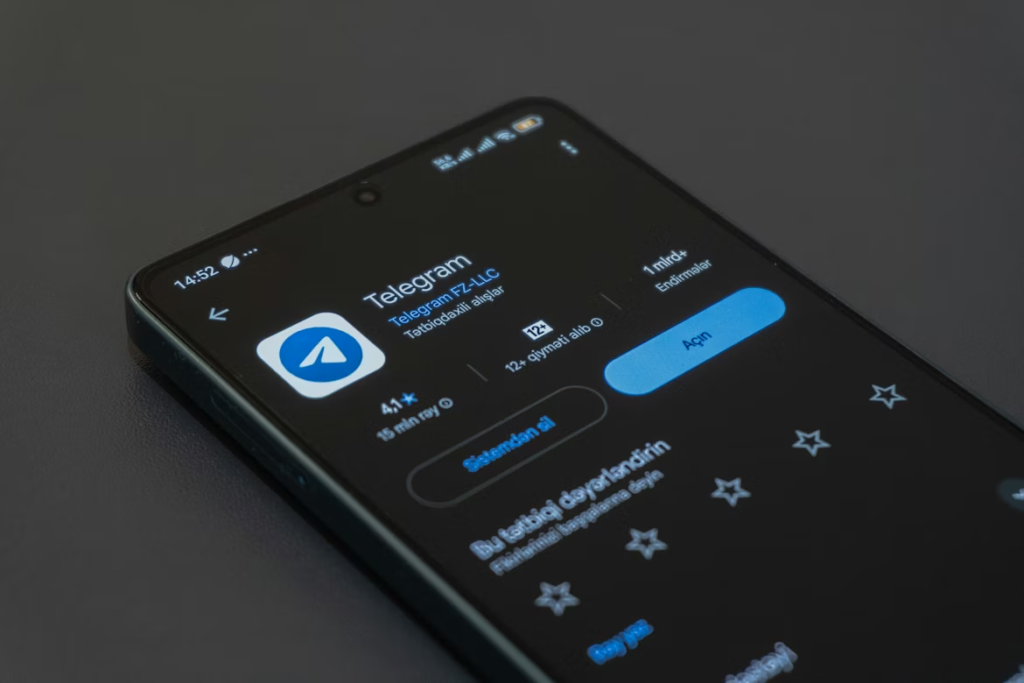
The reasons for their popularity are quite practical — people often lack standard features. For some, it is important to work more conveniently with dozens of chats and channels, for others, it is necessary to customize the interface. While others are looking for additional tools such as message filters, quick switching between accounts, or built-in translators. Alternative clients cover these needs without having to change the messenger itself.
Another factor is the speed of new features. Third-party clients experiment much more boldly: developers implement non-standard solutions faster, which may later appear in the official version (or not at all). For users, this is a way to enhance their Telegram experience for specific tasks — from communication to working with communities.
At the same time, it is important to understand that the more opportunities a client gives, the more careful you should be careful with their choice. Reliability and security depend largely on the developer, so the popularity of such applications always goes hand in hand with the need to choose proven solutions.
Nicegram — unlimited functionality
Nicegram is an advanced Telegram client that combines privacy, AI, and a built‑in Web3 wallet. Nicegram is a popular third-part Telegram client for iOS and Android that offers many useful features for active Telegram users.
Key features of Nicegram:
- Translate messages directly in the chat.
- Unlimited number of accounts.
- Built-in AI assistant in every chat.
- Quick responses and view user registration dates.
- Hiding reactions and mentioning all participants in a chat.
- Access to hidden and blocked channels and groups.
- Converting voice messages to text (some functions require a subscription).
Nicegram is especially popular among users who need advanced tools to work with large chats and communities.
DoxGram — a powerful tool for privacy and customization
DoxGram is one of the most discussed and downloaded Telegram mods. It is aimed at users who need maximum privacy and advanced settings.
Key features of DoxGram:
- Hiding the time of the last visit, online status, and read notifications.
- Secret chats with self-destructing messages and end-to-end encryption.
- Built-in proxy and VPN to bypass locks.
- Support for multiple accounts without logging out.
- Automatic responses and tools for managing large groups.
- Flexible interface configuration and fast download manager.
Keep in mind that DoxGram is often discussed due to the promises of “shadow” features (de-activation, chat monitoring, etc.), but most of these features are a marketing myth, not reality. Use only verified versions and be aware of the security risks.
AuyGram — ghost mode and flexible customization
AuyGram is an open source alternative client based on Externagram, which features ghost mode and the ability to save the message history even after clearing the cache.
Key features of AyuGram:
- Ghost Mode: hides the user’s online status and activity.
- Saving message history even after clearing the cache.
- The ability to take screenshots in secret chats.
- Exclusive message filters and a spy mode.
- Flexible interface configuration and synchronization via the AyuSync service.
AyuGram is great for those who value privacy and want to get additional tools for managing correspondence.
Telegram Beta — all new items before everyone else
Telegram Beta is an official beta client that allows you to test new features before they are released in the main version of the application.
Key Features of Telegram Beta:
- Access to experimental features (for example, new message formats, silent sending, advanced privacy settings).
- The ability to make video calls and use all the standard Telegram options.
- Self-destructing messages and fully encrypted chats.
- A huge gallery of stickers and GIF files.
Telegram Beta is a great choice for those who want to be one step ahead and be the first to learn about new messenger features.
Nekogram — the perfect balance of customization
Nekogram stands out for its adaptable design and features for deep customization of the interface.
Key functions of Nekogram:
- Adaptive theme and black AMOLED theme.
- Editing the message action menu.
- Faster download of files and viewing photos in original quality.
- Support for multiple translators and unique icons.
- Hiding stories and advanced privacy settings.
Nekogram is an excellent choice for those who want to personalize Telegram to their needs as much as possible.
FAQ
Will I be banned from Telegram for using the alternative client?
Users will not be banned for using trusted Telegram clients, but they may experience various problems when installing unverified applications. Keep this in mind when downloading programs from unknown sources — it is better not to do this. Use only the official app stores and verified pages on GitHub.
Which is the safest Telegram client in 2026?
Obviously, the safest Telegram client will be a program signed with an official Telegram certificate. Currently, Nicegram meets this criterion.
How do I update the Telegram client?
To update the clients, it is worth visiting the official page of the program or the application markets where they are presented. Only in this case, this process will be safe for the user.
Conclusion
Telegram alternative clients offer a wide range of new features, but most often they can lead to account blocking, so it’s worth assessing all the risks before installing such applications. The official Telegram app will be enough for the vast majority of users, so it is recommended to install such clients only for experienced users who are aware of all possible problems. In this case, choose only trusted clients from reliable sources.
Meta Title: Top-Rated Telegram Client Apps for iOS & Android Users
Meta Description: The best alternative Telegram clients for iOS and Android. Read the article to learn about new features, flexible configuration, multiaccounts and possible security risk.