


PDFs have been the go-to format for digital catalogs for a long time and it has to be said that, at their core, they are just electronic copies of printed pages. For documents that only require reading from beginning to end, they serve their purpose. However, product catalogs delivered via PDF don’t really measure up to what today’s customers expect. Digital catalogs made using dedicated platforms provide users with interactive experiences that change a passive browsing activity into active engagement.
The difference between a PDF catalog and a genuine digital catalog is just like the difference between a photograph of a shop and actually walking in the shop. One allows you only to look, whereas the other allows you to interact, explore, and take action. This difference is even more important nowadays when attention spans are getting shorter and customers are looking for shopping experiences without any hiccups.
Interactive Elements Drive Engagement
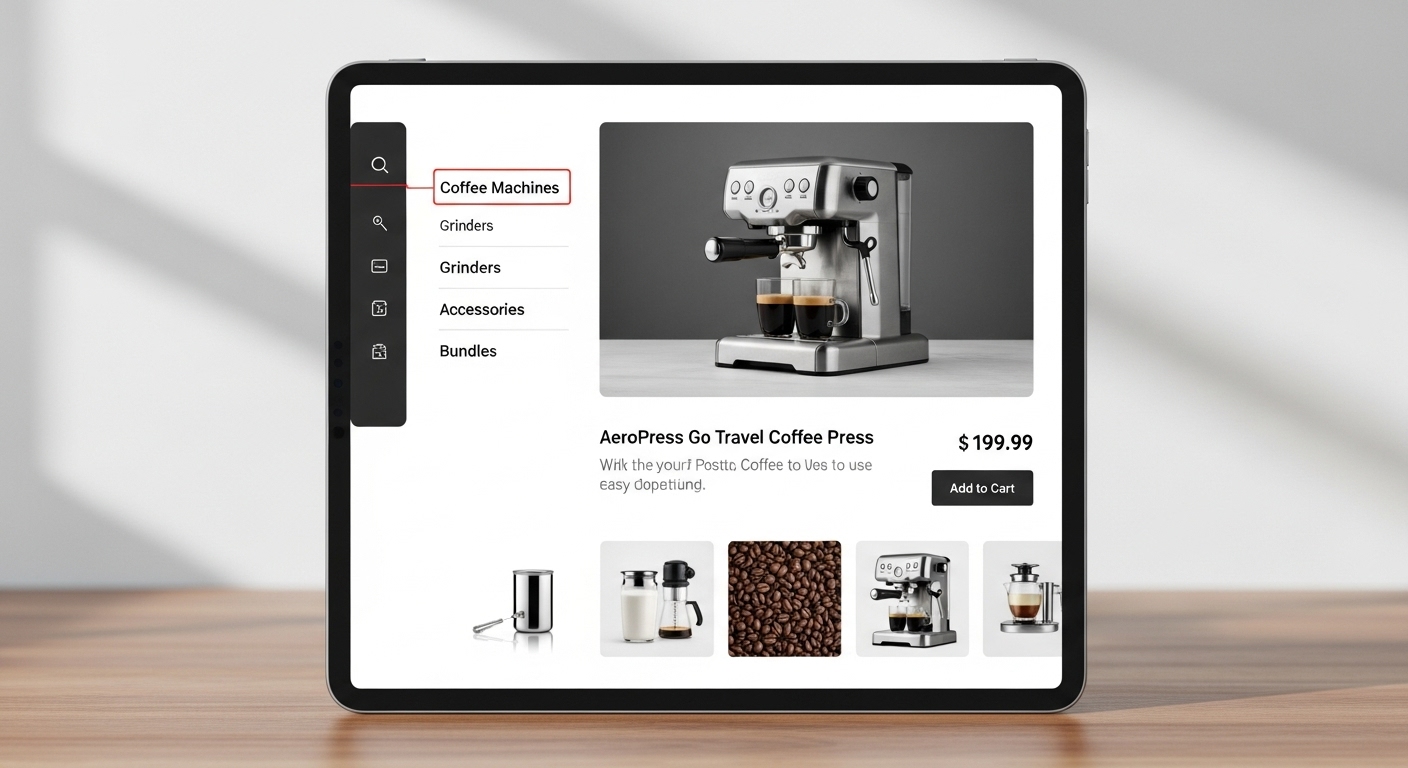
Static PDFs basically just make readers scroll through pages or use one of those primitive search functions that hardly ever hit the mark. Digital product catalogs totally change this situation due to the clickable hotspots feature that helps to get more product info without making the page look messy. For instance, a customer may tap a product image to get the specs, pricing details or check for related products without changing their current view.
Embedding videos with product demonstrations adds to the engagement significantly. For example, instead of just verbally explaining the product features or using the shell photos from different angles, demonstration videos can be recorded, embedded in the product catalog and the visitors can then view them. A potential furniture buyer may first watch how a convertible sofa transforms from a seat to a bed in the video direct from the catalog, or even the different fabric samples which can be checked under varying light conditions.
Zoom functionality is often underestimated. People are so used to checking the smallest details of the products they buy that it already become natural to them. It’s basically the same principle whether it’s the texture of a fabric, the quality of the finish of the hardware, or the small print of the product’s labels. Digital product catalogs have the ability to provide high-resolution zoom without degrading the image quality, something that PDFs are not that good at due to the fact that page sizes are fixed and image compression is limited.
Personalization and Dynamic Content
PDFs are non-changeable files that display the same content to every viewer. In contrast, digital catalogs can change depending on the user, for example, by location, browsing history, or type of customer. A wholesale buyer might be shown bulk pricing and minimum order quantities, whereas a retail customer is shown single-item prices and consumer-targeted descriptions.
The dynamic pricing changes get automatically reflected in digital catalogs. Whenever you launch a sale or change prices, the variations are seen by everyone in the catalog immediately. In the case of PDFs, you would have to make a new version, send it out again, and hope that the customers delete the old one. Most do not do that, so there is confusion regarding the current prices and deals.
Real-time product availability updates are the other thing. If a product becomes unavailable, digital catalogs can either display that or automatically offer other alternatives. A PDF will keep showing you the items that are not available until you update and distribute the file manually, and you may even lose the customers who try to buy the not available items.
Analytics Reveal Customer Preferences
PDFs give hardly any understanding of how customers interact with your catalog. You may have a gist of the total number of downloads, but that is pretty much the extent of the data. You cannot find out which products attracted the most attention, which pages were skipped, or where people stopped browsing.
Digital catalogs keep track of user engagement in a very granular way. Besides being able to identify the products that received the most views, you also get information on the average time spent on the page as well as what other items the customers showed interest in. The data can be very instrumental in making changes to the product placements, tweaking pricing strategies, and making inventory decisions.
Heat mapping reveals the focus of customers’ attention within each page. One can figure out that certain products get neglected because of their placement, while some types of pictures attract more attention. Such information can be used to modify the layout of your catalog in such a way as to give the best sellers more prominence and help the less popular products be seen better.
Enhanced Shareability and Distribution
When you share a PDF catalog, it is the same as attaching a big file to an email or giving a download link. The people who receive it need to have enough storage space and the right software to be able to open it. Most email systems block or compress large attachments and mobile devices may have a hard time with heavy PDF files.
Digital catalogs operate via simple web links that any person can open on any device. You can offer them through email, text message, social media, or QR codes without worrying about the file sizes or compatibility issues. People just need to click and their web browser will open the catalog right away.
The ability to make it shoppable and interactive transforms how catalogs get shared among customers too. When someone finds products they love, they can easily share specific pages or items with friends and family. This word-of-mouth marketing happens naturally when the sharing process is effortless, something PDFs make unnecessarily complicated.
Mobile Optimization Changes Everything
PDFs weren’t intended for use on mobile devices. Quite often, the text is too small to comfortably read, the pictures don’t resize properly, and the navigation involves continuous pinching and zooming. The experience frustrates users so much that many just give up and wait until they’re in front of a computer.
Digital catalogs adjust to screen sizes automatically. On tablets, products show up in grids that are easy to browse; on phones, they stack vertically; and on desktop monitors, they spread across multiple columns. No matter the device, the text is still readable, and navigation remains intuitive whether one is using touch gestures or a mouse.
Loading speed on mobile devices is extremely important, especially when the data connection is limited. With PDFs, you have to wait for the whole file to download before you can see it, and on slow connections, this might take a couple of minutes. Digital catalogs are loaded progressively, so the content is shown as it ensures that the customers can start browsing immediately while the additional pages are being loaded in the background.
Social Proof and User-Generated Content
Static PDFs can display product ratings and reviews, but only those that were there at the time the file was made. Digital catalogs can dynamically fetch current reviews, so customers always have the newest feedback from other buyers. This live social proof has a tremendous impact on purchase decisions.
Incorporating user, generated content drastically changes the look and feel of catalogs with real customer photos and videos. Rather than just product shots by professionals, the customers get to see how the products really look in homes, on people, or in everyday use. According to research published in Frontiers in Psychology, user-generated content interaction quality is positively related to purchase intention, with this relationship mediated by perceived usefulness and trust. Such genuine content not only gains the shoppers’ trust but also aids them in picturing the use of the products in their own situation.