


Whether you just found something with way too many legs on your kitchen counter or you’re prepping for a weekend hike, a solid bug identification tool can save you a lot of guessing. The good news? There are more options than ever — free apps, full-featured outdoor companions, and even browser-based tools that skip the download entirely. We tested a handful of the best bug identification apps and websites available right now to help you pick the one that fits your life. Here’s what stood out.
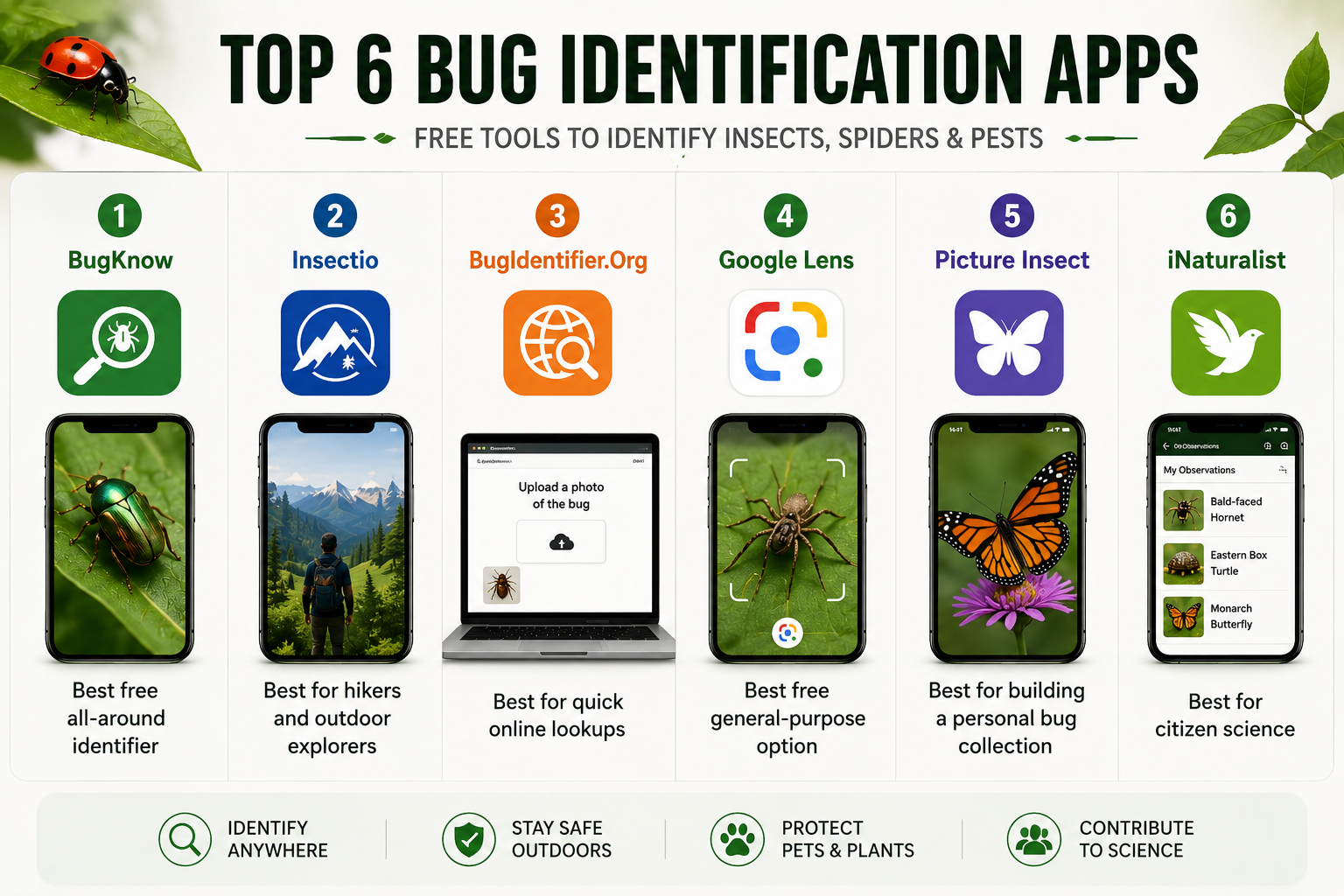
Quick Summary: Top Free Bug Identification Apps
- BugKnow — Best free all-around identifier. 260K+ species, unlimited scans, built for everyday use at home.
- Insectio — Best for hikers and outdoor enthusiasts. Hike bug forecasts, pet safety tools, and a full community.
- BugIdentifier.Org — Best for quick online lookups. No app, no signup — just open your browser and go.
- Google Lens — Best free general-purpose option. Already on your phone, works for bugs and everything else.
- Picture Insect — Best for building a personal bug collection. Solid AI with a rich encyclopedia built in.
- iNaturalist — Best for citizen science. Your sightings feed real research, backed by a massive global community.
- BugKnow — Best Free Bug Identifier for Everyday Use
If you just want to point your phone at a bug and get a fast, reliable answer without paying a dime, BugKnow is where you should start. It covers over 260,000 species of insects, spiders, and other arthropods — one of the largest databases you’ll find in any identifier app — and the core scanning feature is completely free with unlimited use.
The workflow is about as simple as it gets. Open the app, snap a photo (or upload one from your gallery), and you’ll get a species match along with key facts and a detailed profile. BugKnow claims 98% accuracy on common species and 85% on rarer finds, which lines up with what we saw during testing — it handled everything from garden beetles to house spiders without breaking a sweat.
Beyond basic identification, BugKnow also includes a bite checker that lets you photograph a bite or sting and get a visual pattern match (helpful, though it’s worth noting this isn’t a medical tool — just a reference). There’s also a pest severity assessment: answer a few questions about what you’re seeing at home, and you’ll get a practical read on how serious the situation might be, along with next steps.
You can save every find, organize discoveries into custom folders, and even post uncertain IDs to the community for help from fellow users. It’s the kind of app that feels like it was built for the person who finds a weird bug in their garage and wants a quick, no-nonsense answer. And the fact that the free tier is genuinely generous — not a three-scan-then-paywall situation — makes it an easy top recommendation.
Best for: Homeowners, families, anyone who wants a fast free ID without fuss.
- Insectio — Best for Outdoor Exploration and Hiking
Insectio goes well beyond basic photo ID. Yes, it does the snap-and-identify thing — and does it well — but what really sets it apart is the suite of outdoor tools wrapped around that core feature.
The standout is the Hike Bug Forecast. Pick a location and date, and Insectio generates a full insect-risk report for that area: what species to expect, what to wear, and what to check for when you get home. If you’ve ever come back from a trail covered in mystery bites, this feature alone is worth the download. There are also live activity alerts that show you which insects are most active near you right now, complete with avoidance tips.
Pet owners get a dedicated section with practical advice on dealing with fleas, ticks, mosquitoes, and chiggers — what to look for on your dog or cat, what to do, and when it’s time to call the vet. It’s a thoughtful addition that most competing apps overlook entirely.
The encyclopedia is deep and beautifully put together. Every identification opens into a full profile with high-resolution photos from multiple angles and life stages, a complete taxonomy breakdown, hazard ratings for humans, animals, and plants, and clear advice on what to do if a species is harmful. There’s also a community photo feed, a personal nature journal that tracks everything you’ve identified, and daily discovery facts that keep things fresh.
Insectio is available on both iPhone and Android, with premium features available by subscription.
Best for: Hikers, nature lovers, dog owners, and anyone who wants to know what’s out there before they step outside.
- BugIdentifier.Org — Best for Quick Online Lookups
Sometimes you don’t want to download an app. Maybe you found a single weird bug, you want a quick answer, and you don’t plan on becoming a regular insect identifier. That’s exactly where BugIdentifier.Org fits in.
It’s a browser-based identification tool — no app install, no account creation, no commitment. You visit the site, upload a photo of the bug in question, and get your result. That’s it. The whole interaction takes under a minute, and it works on any device with a browser: phone, tablet, laptop, whatever you have handy.
The AI handles common U.S. household insects and garden visitors well, and the interface is intentionally stripped down to keep things fast. You won’t find a full encyclopedia or community features here, and that’s by design. BugIdentifier.Org is built for the person who Googles “what bug is this” at 11 PM and wants an answer, not an app ecosystem.
If you find yourself identifying bugs regularly, you’ll probably outgrow it and want something like BugKnow or Insectio. But for one-off moments of curiosity or concern, it’s hard to beat the zero-friction convenience.
Best for: One-time lookups, anyone who doesn’t want another app on their phone.
- Google Lens — Best Free General-Purpose Option
You might already have a bug identifier on your phone without knowing it. Google Lens is built into the Google app on both Android and iOS, and while it wasn’t designed specifically for insects, it does a surprisingly decent job with them.
The process is simple: open the Google app, tap the Lens icon, point your camera at the bug (or upload a photo), and Google matches the image against its massive database. For common insects — ants, spiders, beetles, moths — it’s quick and reasonably accurate, returning a species name along with links to web pages where you can dig deeper.
The catch is that Google Lens is a general visual search tool, not a purpose-built entomology app. You won’t get structured species profiles, bite analysis, or hazard ratings the way BugKnow or Insectio deliver them. And if your photo is blurry or the bug blends into the background, results can be vague or wrong. Still, it’s free, already installed on most phones, and works in a pinch — a solid starting point you can cross-reference with a dedicated app when accuracy really matters.
Best for: Quick checks when you don’t have a dedicated bug app, casual curiosity.
- Picture Insect — Best for Building a Personal Collection
Picture Insect has been around since 2019 and has built up a loyal following — over 5 million downloads and a community of more than 3 million insect enthusiasts. The AI identifies over 4,000 species with what the developers claim is a 95%+ accuracy rate, and it handles different life stages well (eggs, larvae, adults).
What keeps people coming back is the collection-building aspect. Every bug you identify gets saved to a personal log, and over time you build what’s essentially a digital field journal of everything you’ve encountered. It’s a satisfying loop, especially if you’re the kind of person who likes to track things.
The app also includes an insect encyclopedia, a bite reference section, pest detection tips, and access to entomologists through the premium tier. The free version works, but it includes ads and limits some features. The premium subscription unlocks unlimited IDs, full species profiles, and an ad-free experience — though at roughly $30 per year, some users feel the free tier should be more generous.
One heads-up: the app can be a little aggressive with subscription prompts on first launch. Just tap the X and you’ll get to the free version without any trouble.
Best for: Hobbyists, gardeners, educators, and anyone who enjoys cataloging their finds.
- iNaturalist — Best for Citizen Science
iNaturalist isn’t just a bug identifier — it’s a global biodiversity platform run as a nonprofit by the California Academy of Sciences and the National Geographic Society. When you upload an observation, AI suggests an identification, and then a community of over 400,000 naturalists and scientists can confirm, correct, or refine it. Once enough people agree, your observation reaches “Research Grade” and gets fed into scientific databases used for real conservation work.
The insect identification is solid, powered by a computer vision model trained on millions of community-submitted images. It’s not limited to bugs, either — plants, birds, fungi, anything alive and wild is fair game.
The tradeoff is that iNaturalist is more of a slow-burn experience than an instant-answer tool. You might wait hours for a community ID, especially for uncommon species. It also doesn’t offer bite analysis or the practical home-safety features you get from BugKnow. But if you care about contributing to real science while learning about the natural world, nothing else comes close.
iNaturalist is completely free with no ads, no paywalls, and no premium tier. It’s also available on the web if you prefer a desktop experience.
Best for: Nature enthusiasts, citizen scientists, anyone who wants their sightings to matter.
Which Bug Identification App Should You Pick?
It really comes down to what you need. If you want a fast, free, no-fuss identifier for everyday household bugs, go with BugKnow. If you spend time outdoors and want a full-featured companion for hiking safety and pet protection, Insectio is the one to grab. And if you just need a one-time answer without downloading anything, BugIdentifier.Org gets it done in your browser.
Google Lens shines for convenience, Picture Insect for collection-building, and iNaturalist for contributing to real science. The best bug identification app is simply the one you’ll actually use when something with six legs shows up uninvited.