


You know the feeling.
The track is finished. The master sounds right. The chorus finally lands. The guitar tone, the vocal stack, the low-end, the drop, the last lift into the outro — it all works.
Then you remember the part nobody wants to deal with: the video.
For independent musicians, this has become one of the strangest problems in modern music promotion. Making a song is now faster than ever. You can record at home, master online, distribute through DistroKid or TuneCore, promote on TikTok, and release across every platform in the world. But visual content is still the bottleneck.
YouTube needs a video. TikTok and Reels need vertical clips. Spotify Canvas rewards movement. Fans expect something visual, even if you are not a filmmaker.
That is where AI music video generators come in. But here is the catch: not every AI video generator is a real music video generator.
Some tools create beautiful five-second clips. Some generate trippy visuals that react to sound. Some are great for cinematic B-roll. But if you are a musician, the real question is much more specific:
Can this tool take a finished song and turn it into a video that feels connected to the music?
That means more than adding your song underneath random visuals. A serious AI music video generator should understand tempo, mood, song sections, beat drops, lyrical moments, and visual pacing. It should know the difference between a quiet verse and a final chorus. It should help you create something you can actually publish — not just a folder full of clips you still need to edit manually.
Below are five AI music video tools worth knowing in 2026, compared from a musician’s point of view.
Quick Picks: Best AI Music Video Generators at a Glance
| Rank | Tool | Best For | Music Awareness | Full-Song Potential | Creative Control | Best User |
| 1 | BeatViz | Music-first AI music videos | Strong audio analysis, beat-aware workflow | Yes, designed around song-to-video creation | Agent mode + custom editing | Independent artists, AI musicians, YouTube music creators |
| 2 | Freebeat | Fast release-ready music visuals | Beat sync, lyric and avatar-focused workflow | Strong | Presets + editing options | Suno/Udio creators, lyric video users |
| 3 | Neural Frames | Audio-reactive visualizers | Strong stem and frequency reactivity | Yes, especially for abstract visuals | High visual control | Electronic, ambient, experimental artists |
| 4 | Kaiber | Stylized music visuals and Canvas clips | Beat sync and visual styling | Good for shorter music-led visuals | Moderate | Musicians wanting aesthetic loops and social visuals |
| 5 | Runway | Cinematic AI video clips | Not music-first | Requires manual editing | High video-generation control | Filmmakers and musicians who can edit manually |
Why AI Music Video Generation Is Different from General AI Video
This is the main thing many musicians get wrong at first.
A general AI video generator can create impressive footage from a text prompt or image prompt. You might type “a lonely guitarist walking through a neon city at night” and get something cinematic. That is useful. But it does not mean the tool understands your song.
A real AI music video generator starts from the audio.
It should be able to analyze rhythm, tempo, structure, mood, and transitions. The tool needs to know when the intro ends, when the chorus starts, when the drums come in, and when the energy falls back down. Otherwise, you are just generating pretty footage and hoping it lines up later.
For musicians, sync matters more than isolated visual quality.
A slightly imperfect shot that cuts perfectly on the downbeat can feel more musical than a beautiful clip that ignores the arrangement. A chorus needs lift. A breakdown needs space. A drop needs impact. A lyric video needs timing. A performance video needs mouth movement that follows the vocal.
That is why music-first tools and general AI video tools should not be judged by the same standard.
Runway, for example, can produce excellent cinematic clips. But if the workflow still requires you to generate dozens of separate shots, import them into Premiere or DaVinci Resolve, manually cut them to the beat, add lyrics, adjust transitions, and export social versions, then it is not solving the full music video problem. It is solving the footage problem.
That may be fine for filmmakers. It is not always ideal for a DIY musician trying to release a single this week.
How This Comparison Was Built
This comparison is based on public product information, music-video workflow analysis, and the practical needs of independent artists.
The focus is not simply “which tool makes the prettiest clip?” Instead, each platform is judged by questions musicians actually care about:
- Can it start from an uploaded song?
- Does it understand beat, BPM, rhythm, or song structure?
- Can it help create a full music video, not just a short clip?
- Does it support lyrics, lip sync, characters, or performance scenes?
- How much manual editing is still required?
- Is it suitable for YouTube, TikTok, Reels, or Spotify Canvas?
- Does the workflow feel built for musicians, or adapted from a general AI video tool?
Pricing and credit systems change often in AI video tools, so always check the current plan page or in-app estimate before starting a full project.
1. BeatViz — Best Overall Music-First AI Music Video Generator
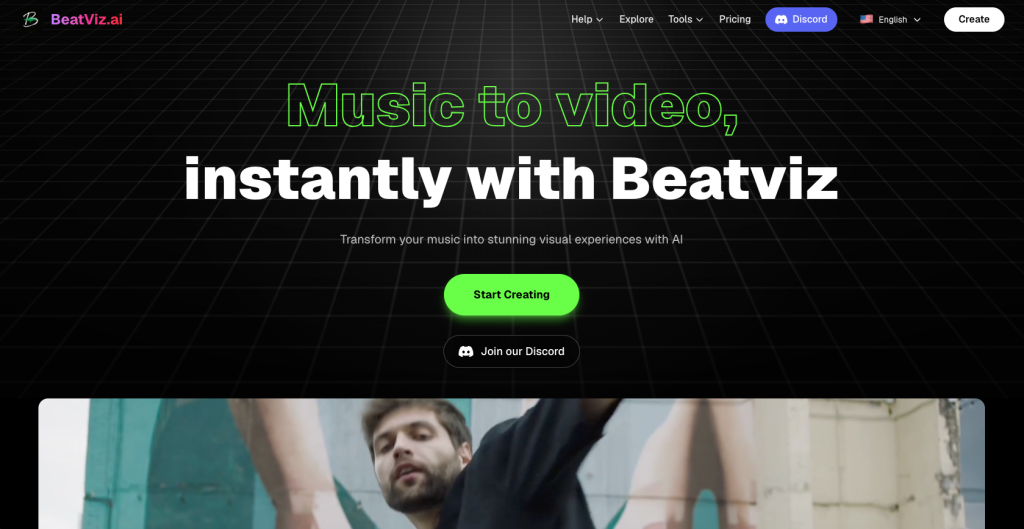
BeatViz stands out because it is built around the central problem musicians actually have: turning a song into a complete visual experience without needing a film crew or editing timeline.
Instead of treating the track as background audio, BeatViz is designed around a music-first workflow. You upload a song, describe the visual direction, and let the system build a video around the rhythm, transitions, and emotional movement of the track.
That makes it especially useful for independent artists, AI music creators, YouTube music channels, and producers who want more than a simple visualizer.
How BeatViz Works
The typical workflow is simple. You upload your track, choose or describe a style, and use the AI Agent workflow to generate a music video. BeatViz analyzes the song and builds scenes around the audio. For users who want more control, the custom workflow allows more detailed editing, regeneration, and segment-level refinement.
This balance is important. Many musicians want speed, but they do not want to lose all creative direction. BeatViz works best when you give it a clear aesthetic: cyberpunk club visuals, anime performance video, dark fantasy storyline, retro VHS rock video, electronic abstract visuals, or cinematic indie band atmosphere.
Key Strengths
The biggest strength of BeatViz is that it feels closer to an end-to-end music video workflow than a single clip generator.
It is not just “type prompt, get video.” It is closer to: upload track, analyze music, generate scenes, adjust segments, refine the direction, and export something designed for release.
That matters because most songs are not one visual idea. A complete track may need an intro mood, verse identity, chorus lift, bridge contrast, and final visual payoff. BeatViz is stronger when the goal is a full music video rather than a few disconnected clips.
It is also a good fit for creators without editing experience. You do not need to understand keyframes, timeline cutting, audio waveform editing, or manual beat matching before you can start.
Limitations
BeatViz is not perfect. Like most AI video tools, character consistency can still vary in complex scenes, especially if the video includes multiple people, detailed costumes, or fast scene changes. Users may still need to regenerate certain segments to get the right look.
Longer songs also require more credits and more careful planning. If you expect a polished three-minute video with specific characters, camera movement, lyrics, and story continuity, you should treat AI generation as a creative workflow, not a magic button.
The best results usually come from clear prompts, strong reference images, and a willingness to refine individual sections.
Pricing
BeatViz uses a credit-based model, so the real cost depends on length, generation mode, model choice, and how many segments you regenerate. Before producing a full music video, check the in-app estimate rather than judging only by the monthly plan price.
Best For
BeatViz is best for independent musicians who want a release-ready AI music video from a finished track, especially if they care about beat-aware visuals and do not want to manually edit dozens of clips.
Not Best For
It is not the best choice for filmmakers who want total manual control over every frame, camera move, and edit point.
Verdict
Choose BeatViz if your priority is turning a song into a complete visual experience. It is one of the strongest options for musicians who want an AI music video generator that starts with the music rather than treating audio as an afterthought.
2. Freebeat — Best for Fast Song-to-Video Workflows
Freebeat is another strong music-first option, especially for creators who want a quick path from audio to video. It has gained attention because it focuses on rhythm-synced visuals, avatars, lyric videos, and release-oriented content.
For Suno and Udio users, this kind of workflow makes sense. AI music creators often have a finished song but no visual identity, no singer footage, and no video editing setup. Freebeat helps close that gap.
How It Works
Freebeat allows users to upload a song or use a music-related input, then generate visuals that match the track. Depending on the workflow, it can support lyric-style videos, avatar-based visuals, dance videos, and music-led content for social platforms.
The appeal is speed. Instead of building a video scene by scene, users can move quickly from song to visual output.
Key Strengths
Freebeat is strong when the user wants a polished, accessible workflow. It is designed for people who do not want to become video editors just to promote one song.
Its strengths include music-driven generation, lyric video support, avatar-style presentation, and social-friendly output. It is particularly useful for artists who release frequently and need repeatable visual content.
Limitations
Freebeat can feel more template-driven depending on the type of output you choose. If you want a highly specific narrative music video with detailed scene direction, you may run into creative limits.
As with other AI music video tools, character consistency and lip sync quality can vary depending on the source material, style, and generation settings.
Pricing
Freebeat’s pricing and credit rules should be checked before publishing or producing a full video. Short tests may be affordable, but full-length music videos usually require paid credits or a subscription.
Best For
Freebeat is best for Suno/Udio creators, lyric video makers, and musicians who want fast, music-aware output without a complicated editing process.
Not Best For
It is less ideal for artists who want deep manual control over every shot or a highly cinematic story-driven video.
Verdict
Freebeat is a strong choice for fast music visuals. It is not trying to be a film production suite. It is trying to help musicians release visual content quickly — and that is exactly what many creators need.
3. Neural Frames — Best for Audio-Reactive Visualizers
Neural Frames is one of the most interesting tools for artists who think visually in terms of sound, frequency, and movement.
It is especially good for electronic music, ambient tracks, experimental projects, psychedelic visuals, and abstract music videos. If your song does not need a singer, band, or character-led story, Neural Frames can be a powerful creative instrument.
How It Works
Neural Frames works more like a visual synthesizer. You upload your music and create visuals that respond to the audio. One of its strongest features is stem-based or frequency-based reactivity, allowing visuals to respond to elements such as kick, snare, keys, or other parts of the mix.
That makes it very different from a general AI video tool. Instead of generating random scenes and placing music underneath them, Neural Frames gives musicians ways to connect visual motion to the audio itself.
Key Strengths
The biggest strength is control. Neural Frames is excellent for artists who want to shape audio-reactive visuals with intention. It can feel closer to performing visuals than simply generating a video.
For electronic musicians, DJs, ambient composers, and experimental artists, this is a serious advantage. The visuals can pulse, evolve, and shift with the track.
It is also useful for Spotify Canvas, YouTube visualizers, live screen content, and long-form music visuals.
Limitations
Neural Frames is not always the best tool for narrative music videos. If you want a singer walking through a story, consistent characters, close-up lip sync, and cinematic scene progression, you may need a different platform or a more manual workflow.
It also has a learning curve. The extra control is powerful, but beginners may need time to understand how to get the best results.
Pricing
Neural Frames uses subscription tiers, and the right plan depends on video length, quality, and how much generation time you need. Artists planning full-length videos should check the current plan limits before committing.
Best For
Neural Frames is best for electronic artists, experimental musicians, visual album creators, and anyone who wants audio-reactive visuals rather than a traditional performance video.
Not Best For
It is not the fastest option for musicians who want a simple one-click music video with characters, lyrics, and a clear story.
Verdict
Neural Frames is not just an AI video generator. It is closer to a visual instrument. For the right artist, that is exactly the point.
4. Kaiber — Best for Stylized Music Visuals and Canvas Clips
Kaiber has been popular with musicians for a reason: it understands that many artists do not need a Hollywood music video. They need stylish visual content that matches the mood of a track and can be used across release platforms.
Its strength is visual style. If your song needs an animated, surreal, painterly, or aesthetic loop, Kaiber is worth considering.
How It Works
Kaiber offers tools for generating music-synced visuals, including Canvas-style workflows, beat sync, and editing features. Users can create stylized videos from prompts, images, and music-led direction.
It is especially appealing for album campaigns, Spotify Canvas loops, short social clips, and visualizers.
Key Strengths
Kaiber is good at creating visuals that feel branded. If you have album art, a mood board, or a clear aesthetic, Kaiber can help extend that identity into motion.
It is also easier to approach than many complex editing tools. For musicians who want something stylish without building every shot manually, that is useful.
Limitations
Kaiber is not always the best choice for full narrative videos or detailed performance scenes. It can produce strong visuals, but artists may still need to edit, refine, or combine outputs depending on the final goal.
If you need tight lip sync, complex character consistency, or a complete song-to-video workflow, other tools may fit better.
Pricing
Kaiber usually works through credits and paid plans, but current pricing should be checked before production. Full music campaigns may require more credits than short tests.
Best For
Kaiber is best for musicians who want stylized visuals, Spotify Canvas content, social loops, and aesthetic music-led clips.
Not Best For
It is not the best fit for artists who need a complete full-length music video with detailed scene-by-scene storytelling.
Verdict
Kaiber is a strong creative tool for music visuals, especially when style matters more than narrative complexity.
5. Runway — Best for Cinematic AI Video Clips
Runway is one of the most powerful general AI video platforms, but that phrase matters: general AI video platform.
It can create impressive cinematic footage, transform visuals, remove objects, generate video from text or image prompts, and support a wide range of creative workflows. For filmmakers, marketers, and visual creators, it is extremely useful.
For musicians, it depends on how much editing you are willing to do.
How It Works
Runway is strongest when you use it to generate individual shots. You can create cinematic scenes, surreal visuals, product-like shots, character moments, and atmospheric footage. Then you can bring those clips into an editor and cut them to your track manually.
That workflow can produce excellent results if you know what you are doing.
Key Strengths
Runway’s visual quality and creative flexibility are its main advantages. If you need a dramatic shot of a singer in the desert, a dreamlike city sequence, or abstract cinematic B-roll, Runway can help.
It is also part of a broader creative toolkit, which makes it useful for artists who already think like directors or editors.
Limitations
The problem is not visual quality. The problem is audio awareness.
Runway is not primarily built as a music-first generator. It does not automatically solve the full music video workflow for a finished track. You may need to generate many clips, organize them, cut them to the beat, add subtitles or lyrics, and export platform-specific versions yourself.
For some artists, that control is a benefit. For others, it defeats the purpose.
Pricing
Runway uses a credit/subscription model. Since high-quality video generation can consume credits quickly, musicians should estimate the cost of producing enough clips for a full song, not just the cost of one short generation.
Best For
Runway is best for musicians who also have editing skills, or for teams that want cinematic AI footage to build a music video manually.
Not Best For
It is not the fastest path for artists who want to upload one song and receive a complete beat-synced music video.
Verdict
Runway is excellent for cinematic footage. But for music videos, it is better viewed as a clip generator than a complete AI music video generator.
Music-First Tools vs General AI Video Tools
| Need | Best Tool Type | Why |
| Full music video from one song | Music-first AI music video generator | Starts from audio and builds visuals around the track |
| Abstract visualizer | Audio-reactive visualizer | Responds to stems, rhythm, energy, and frequency |
| Cinematic B-roll | General AI video generator | Strong visual quality but requires manual editing |
| Spotify Canvas | Loop or Canvas-focused tool | Short, stylish, repeatable visuals |
| Lyric video | AI lyric video generator | Timing and readability matter more than cinematic shots |
| TikTok/Reels promo | Social-first video tool | Vertical output, fast hooks, subtitles, short duration |
How to Choose the Right AI Music Video Generator
If you want a complete music video from one finished song, start with a music-first platform like BeatViz or Freebeat.
If you make electronic, ambient, or experimental music, Neural Frames may give you the most expressive audio-reactive control.
If you want stylish loops, Canvas clips, or visual identity pieces, Kaiber is a strong option.
If you want cinematic footage and you are comfortable editing manually, Runway can be very powerful.
The mistake is assuming all these tools solve the same problem. They do not.
A music video is not just moving images. It is visual rhythm. It is pacing. It is structure. It is the feeling that the picture and the song belong together.
That is why musicians should judge AI video tools differently from filmmakers or marketers.
For a song release, the best AI music video generator is not always the one with the most realistic image quality. It is the one that understands the track well enough to support it.
Final Verdict
The best overall choice for musicians who want a complete AI music video workflow is BeatViz. It is built around the idea that visuals should follow the music, not the other way around. For independent artists, YouTube music creators, and AI musicians who want to move from finished track to publishable video without manual editing, it is one of the most practical options available.
Freebeat is also strong, especially for fast lyric, avatar, and release-ready visuals.
Neural Frames is the best choice for serious audio-reactive visualizers.
Kaiber is ideal for stylized music visuals and Canvas-style content.
Runway is the best option for cinematic clips, but it requires the most manual editing if your final goal is a complete music video.
The real lesson is simple: stop choosing AI video tools based only on visual quality.
For music videos, the tool needs to listen.
FAQ
What is the best AI music video generator in 2026?
For independent musicians who want a complete song-to-video workflow, BeatViz is one of the strongest choices. It is designed around music analysis, beat-aware visuals, and full music video creation rather than isolated clip generation.
Can AI turn a song into a music video?
Yes. Modern AI music video generators can take an uploaded song and create visuals around it. The quality depends on how well the tool understands rhythm, structure, lyrics, and visual consistency.
What is the difference between an AI music video generator and an AI video generator?
An AI video generator usually creates clips from text or image prompts. An AI music video generator starts from the song and builds visuals around audio features such as beat, BPM, mood, sections, and vocal timing.
Which AI music video generator is best for Suno or Udio songs?
BeatViz and Freebeat are both strong options for AI music creators who need visuals for Suno or Udio-style tracks. The best choice depends on whether you want more music-video workflow control or a faster preset-driven release process.
Is Runway good for music videos?
Runway is good for generating cinematic clips, but it is not the easiest option for complete music videos. You will usually need to edit the clips manually to match your track.
What tool is best for audio-reactive visuals?
Neural Frames is one of the best choices for audio-reactive visuals, especially for electronic, ambient, and experimental music.
Can AI music videos include lyrics?
Yes, some AI music video tools support lyric videos, subtitles, or vocal-focused workflows. Always check whether the tool supports lyric timing, subtitle editing, and export formats before starting.
Can I use AI music videos commercially?
Commercial use depends on the platform, plan, and content rights. You should check the current license terms of the tool and make sure you own or have permission to use the music, images, lyrics, and references included in the video.