


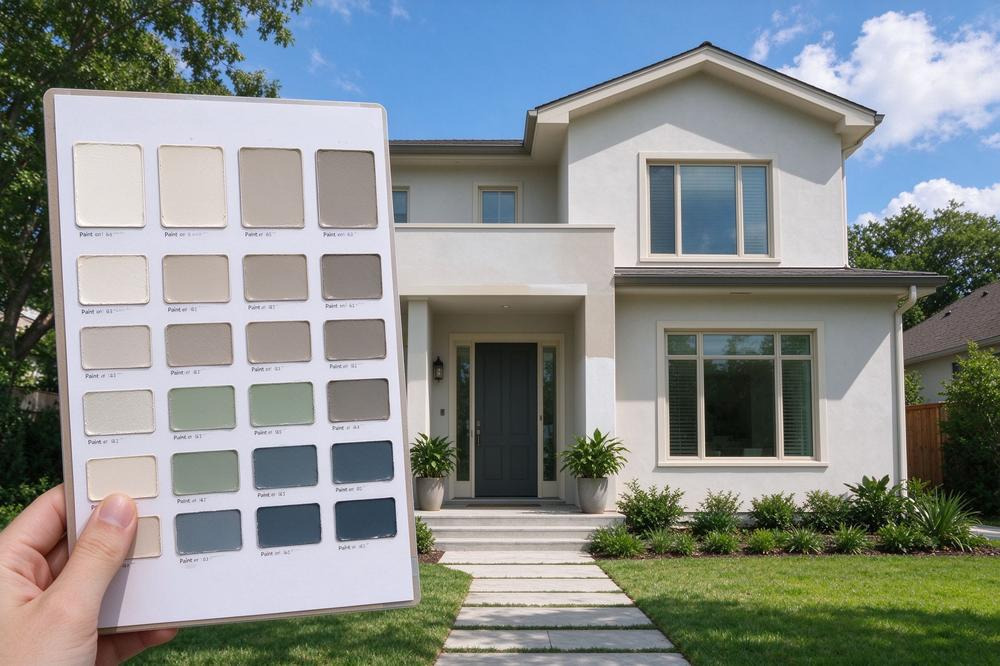
Plenty of paint projects start with an object, not a color name. A vintage rug with a faded terracotta border. A backsplash tile you already paid for. A painting that will hang over the sofa. The challenge is translating that object into two or three real paint colors, then seeing whether they still work on your walls, trim and cabinets instead of on a tiny swatch.
A paint color visualizer can shorten both halves of that job. The better tools can pull a color from a photo, point you to comparable brand paints, and let you apply the results to a picture of your own room or house. What they cannot do is promise how the paint will look once it is on the wall. Treat every preview as a way to rule things out, and let physical samples settle the final call.
This roundup compares seven tools on how well they handle that path: color capture, brand coverage, own-photo support, separate surfaces, and how easily you can keep track of versions. It is based on each tool’s documented features rather than hands-on accuracy testing.
At a Glance
| Tool | Good task fit | Key features | Worth knowing |
| Coloraw | Turning a rug, fabric or artwork into paint candidates across brands | Nine-brand web library and photo upload; app adds Color Capture, cross-brand alternatives, saved colors, projects | Capture, saved colors and projects are app features |
| Paintuma | Matching a picked color to real brand codes, then testing it surface by surface | Web preview with brand and code search; app adds Color Picker with match scores, per-surface AI segmentation, before/after | Match scores measure digital similarity only |
| paintcolorvisualizer.com | Exterior body, trim and door combinations in a browser | Own photo or sample scenes, surfaces painted separately, lighting presets, saved previews | Session-based; lighting presets are illustrative |
| PPG Paint Color Visualizer | PPG shoppers who want a browser tool with inspiration photos | Own photo or inspiration rooms, color families and palettes, name search, photo color matching | PPG colors only |
| Benjamin Moore Color Portfolio | Benjamin Moore fans working on a phone or tablet | Virtual fan deck, tap-to-mask photo visualizer, AR video, Color Capture | Device-based matching needs a separately bought ColorReader |
| Dunn-Edwards InstaColor | Homeowners near Dunn-Edwards stores in the western and southwestern U.S. | Room visualizer with own photo or room library, 2,000+ colors | Store network is regional |
| Sherwin-Williams ColorSnap Visualizer | Snapping a color in the wild and matching it to Sherwin-Williams | Web photo painting with brush or drag-and-drop, phone color matching, Snap It palettes | Sherwin-Williams colors only |
1. Coloraw
Coloraw is the strongest fit on this list when your inspiration piece and your paint store are not from the same world. If the color you love came from a Moroccan rug and you plan to buy at whichever store is closest, a single-brand tool leaves you translating by hand.
On the web, Coloraw offers a free visualizer with no sign-up that draws from nine major paint brands, including Sherwin-Williams, Benjamin Moore, Behr and Farrow & Ball. You can try a color in sample living room, bedroom, kitchen and exterior scenes, or upload a photo of your own wall and let the tool detect the paintable surfaces.
The iPhone and Android app is where the inspiration-first workflow really lives. Color Capture lets you aim the live camera at the rug, or tap a point in an uploaded image, to see the swatch with HEX and RGB values alongside similar brand colors. For any selected color, the app also offers a set of close cross-brand alternatives, which is useful when one brand’s version reads slightly too warm and another’s is closer to what you want. Treat those as sample candidates, not identical formulas.
Everything you capture or pick can go into the Saved collection, which keeps the brand, code, HEX and RGB together and hands colors straight to the visualizer. Once you are testing, projects are split into interior and exterior, and a single scene can hold several schemes that sit side by side with the original photo.
A practical note: capture, saved colors and project management are app-side tools, and how cleanly the visualizer separates cabinets, trim or doors depends on the photo you give it.
2. Paintuma
Paintuma suits the reader who already has a target color in hand, perhaps a HEX value from a design board or a shade picked off a tile, and now needs to know which real paints come close and how they look on each surface.
The browser-based Paintuma Paint Color Visualizer handles the room-preview side. You can start from an interior or exterior sample scene or upload your own photo, then search a known paint by color name or code, or browse by brand and color family. Once a few candidates look promising, you can revisit them and download previews to take into sampling.
In the Paintuma mobile app, the Color Picker samples a color from the camera view and returns cross-brand similar colors with a match score. That score is a digital similarity measure, helpful for ranking candidates but not a promise that two physical paints will look the same on a wall. From there you can save the candidate or send it straight into the AI Color Visualizer.
The visualizer itself asks you to choose interior or exterior mode, then segments the photo so walls, ceilings, door frames and other surfaces can each take a different color. Before-and-after comparison shows what changed, and each scheme records the brand and code used on every area. Saved Colors gathers shades from all these entry points in one place, so a tile-inspired accent and the neutral you paired with it do not get lost between sessions.
If you want the picker, saved colors and project records, plan on using the app rather than the web page alone.
3. paintcolorvisualizer.com
Some inspiration pieces are outside: a weathered stone wall, a neighbor’s door you admire, the gray-green of the trees behind the house. For testing an exterior scheme around those fixed elements, a quick browser tool is often enough.
At the time of writing, paintcolorvisualizer.com describes its visualizer as free in the browser, with no account and nothing to install. You can photograph the front of the house or start from a built-in exterior, living room, bedroom or kitchen scene. Surfaces are selected one at a time, so siding, trim and the front door can each carry their own color, which is exactly what you need to see whether a trim white sits comfortably next to the stone or fights it.
Lighting presets labeled daylight, north-facing, warm LED and evening give a rough sense of how a scheme’s mood may change, though they are illustrative settings rather than a model of your actual exposure. When a combination looks right, compare it side by side with the alternatives and save the preview image.
The site says closing the page clears the session, so download anything you want to keep. Previewing a color on a roof or masonry surface also does not mean a given paint suits that material; check product guidance separately.
4. PPG Paint Color Visualizer
PPG’s tool runs directly in a browser on a phone or computer, with no separate app needed. You can upload a photo of your home or work from PPG’s inspiration room photos, then choose colors from color families and curated palettes or search by name. It also accepts an inspiration photo so you can pull colors from it toward your walls, which fits the object-first approach of this article nicely.
Painting is a matter of touching or clicking the photo, with an edit function for more precise edges. The main condition is the palette: you are choosing from PPG colors, so a cross-brand comparison requires another tool.
5. Benjamin Moore Color Portfolio
If your shortlist is already leaning toward Benjamin Moore, the Color Portfolio app keeps the whole process inside that brand. Color Capture uses your phone’s camera to find equivalent Benjamin Moore colors from anything you photograph, so the rug or tile becomes a set of named Benjamin Moore candidates.
From there, the photo visualizer lets you tap a surface to mask it and try colors, while the video visualizer applies color in augmented reality as you move through the room. A virtual fan deck organizes the palette by collection, and the image visualizer can compare two colors side by side. The app is listed as free on iPhone and Android; for more precise matching of a physical surface, it pairs with Benjamin Moore’s ColorReader device, which is sold separately.
6. Dunn-Edwards InstaColor
Dunn-Edwards is a regional choice, and that is exactly why it deserves a spot. The brand sells through company stores and dealers concentrated in Arizona, California, Nevada, Texas, Utah and several other western states, and its palette is designed with that region’s strong light in mind.
The InstaColor room visualizer lets you try more than 2,000 Dunn-Edwards colors either on an uploaded photo or on rooms from its library. Individual color pages also list HEX, RGB and LRV values, which helps when you are comparing a captured color’s lightness against candidates. Readers outside the brand’s store footprint will find the palette harder to buy locally, so check availability before building a scheme around it.
7. Sherwin-Williams ColorSnap Visualizer
ColorSnap is built around the moment you spot a color in the wild. The phone app captures colors from your surroundings and matches them to Sherwin-Williams paint, and the Snap It feature turns an image into a palette made from more than 1,500 Sherwin-Williams colors. Sherwin-Williams lists the app as free on iPhone and Android, with an iPad version too.
For the room-preview stage, ColorSnap Visualizer for Web lets you upload a photo or choose one of the brand’s scenes, then drag and drop a color or brush it onto surfaces. The brush gives fine control on tricky edges but can mean more manual work on a cluttered photo. As with the other brand tools, the palette stops at Sherwin-Williams.
A Simple Routine for Inspiration-Led Color Choices
First, capture the color. If you are open to any brand, use a tool that suggests alternatives across several paint lines; if you already shop at one store, that brand’s own capture feature keeps names and codes aligned with what you will buy.
Second, test the candidates on your own photo, not just a sample room. Take the picture straight on, in soft daylight, with the inspiration piece and fixed finishes such as flooring, stone or countertops in the frame. Try the wall, trim and any cabinets or doors as separate surfaces so you can judge contrast, not just the main color.
Third, save two or three versions and compare them side by side. Then order physical samples of the finalists and look at them next to the actual rug, tile or stone at different times of day. That is where the decision gets made.
Which One Should You Start With?
If your inspiration piece could lead to any brand, begin with Coloraw’s capture-and-compare approach. If you already have a precise color value and want to see which brand paints land closest, Paintuma’s picker and per-surface records are the better match. If the question is outside the house and you just want a fast browser check of siding, trim and door together, paintcolorvisualizer.com gets you there without an account. Already loyal to PPG, Benjamin Moore, Dunn-Edwards or Sherwin-Williams? Their own tools save a translation step, as long as you are happy staying inside one palette.